
See which calls turn into revenue.
- Every call scored and tied to the money it brought in
- See where callers drop off
- Nothing to set up
1 month free. We read your site, and setup takes about 10 minutes.
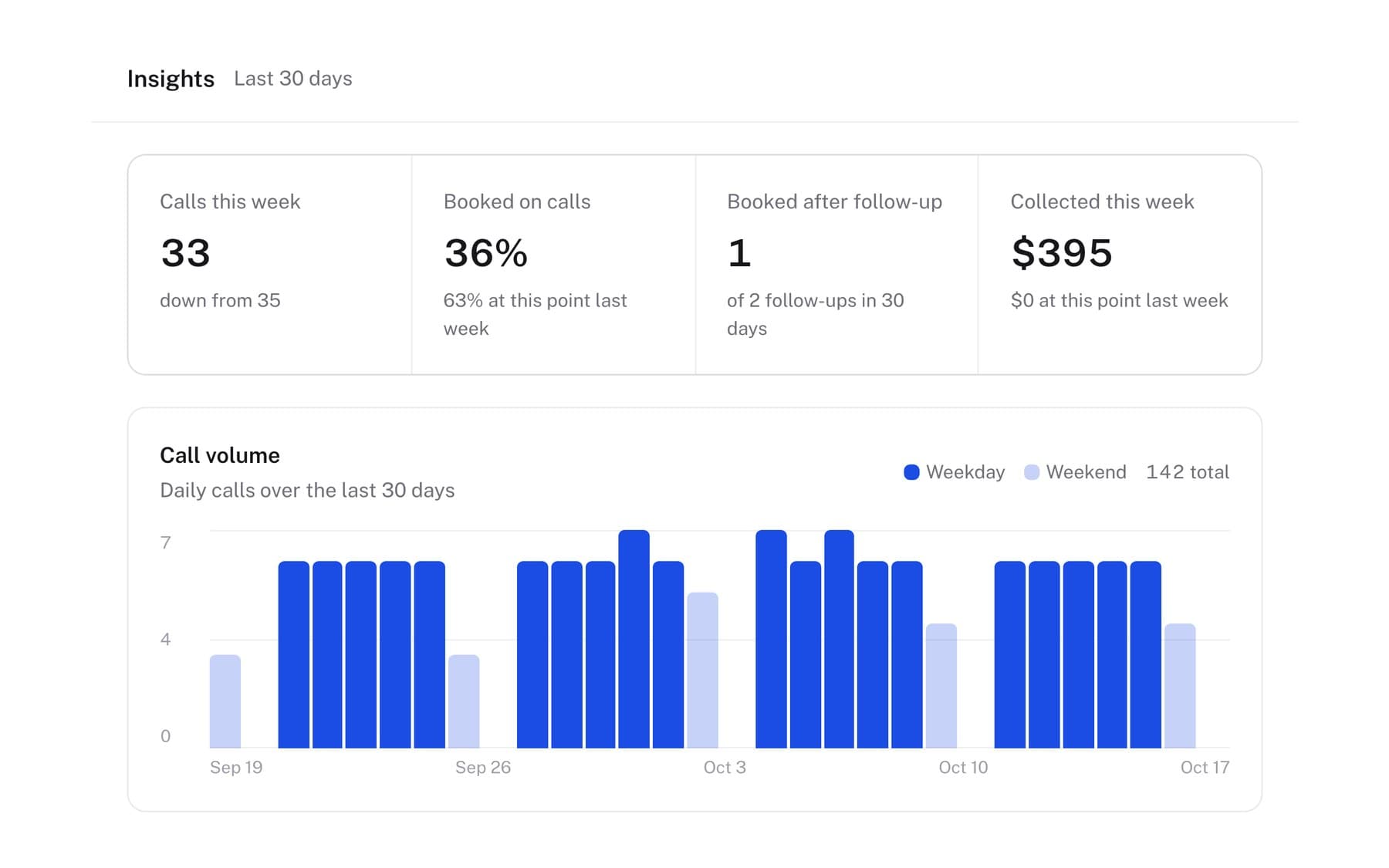
What the call reports show you.
Inside the reports.
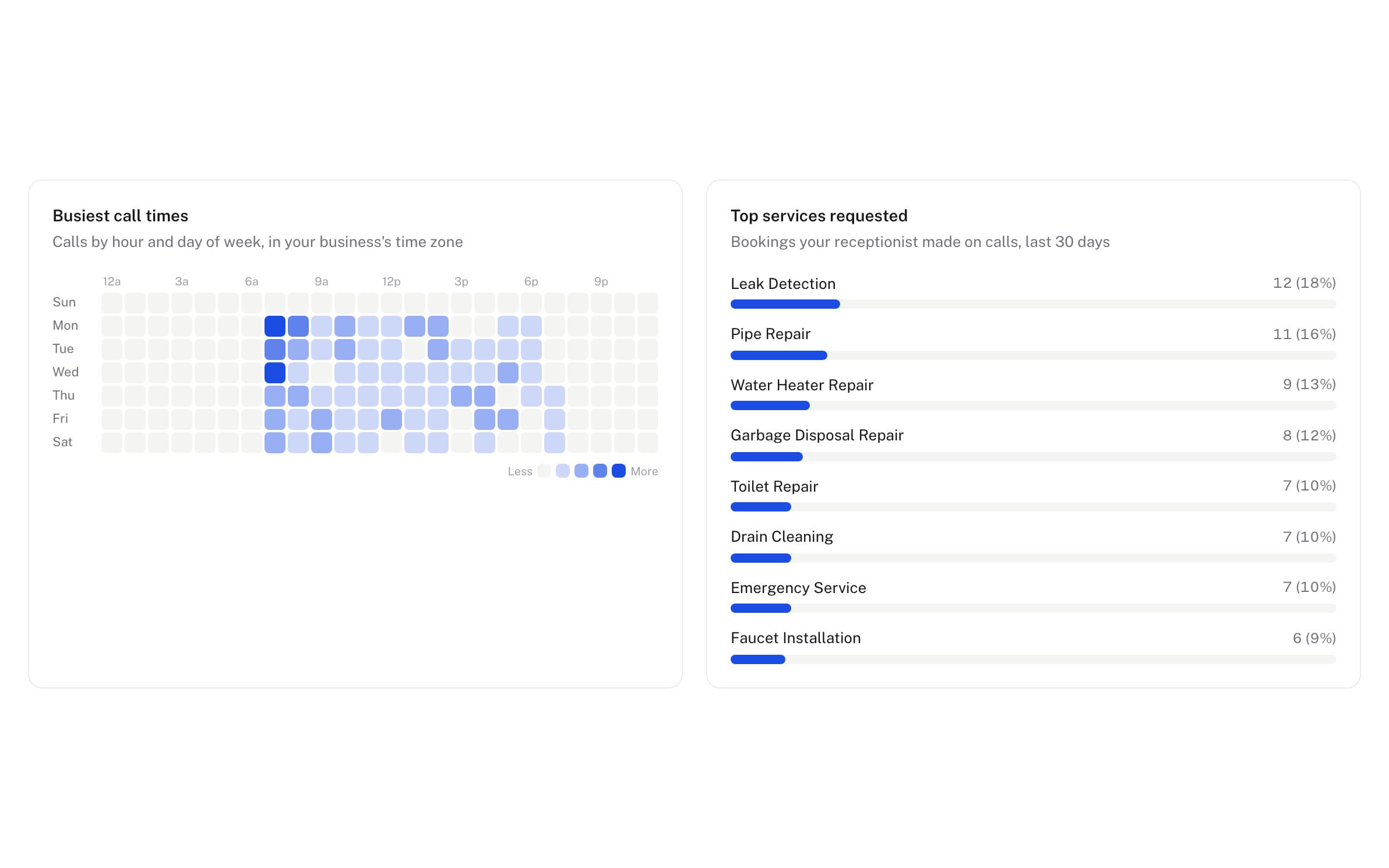
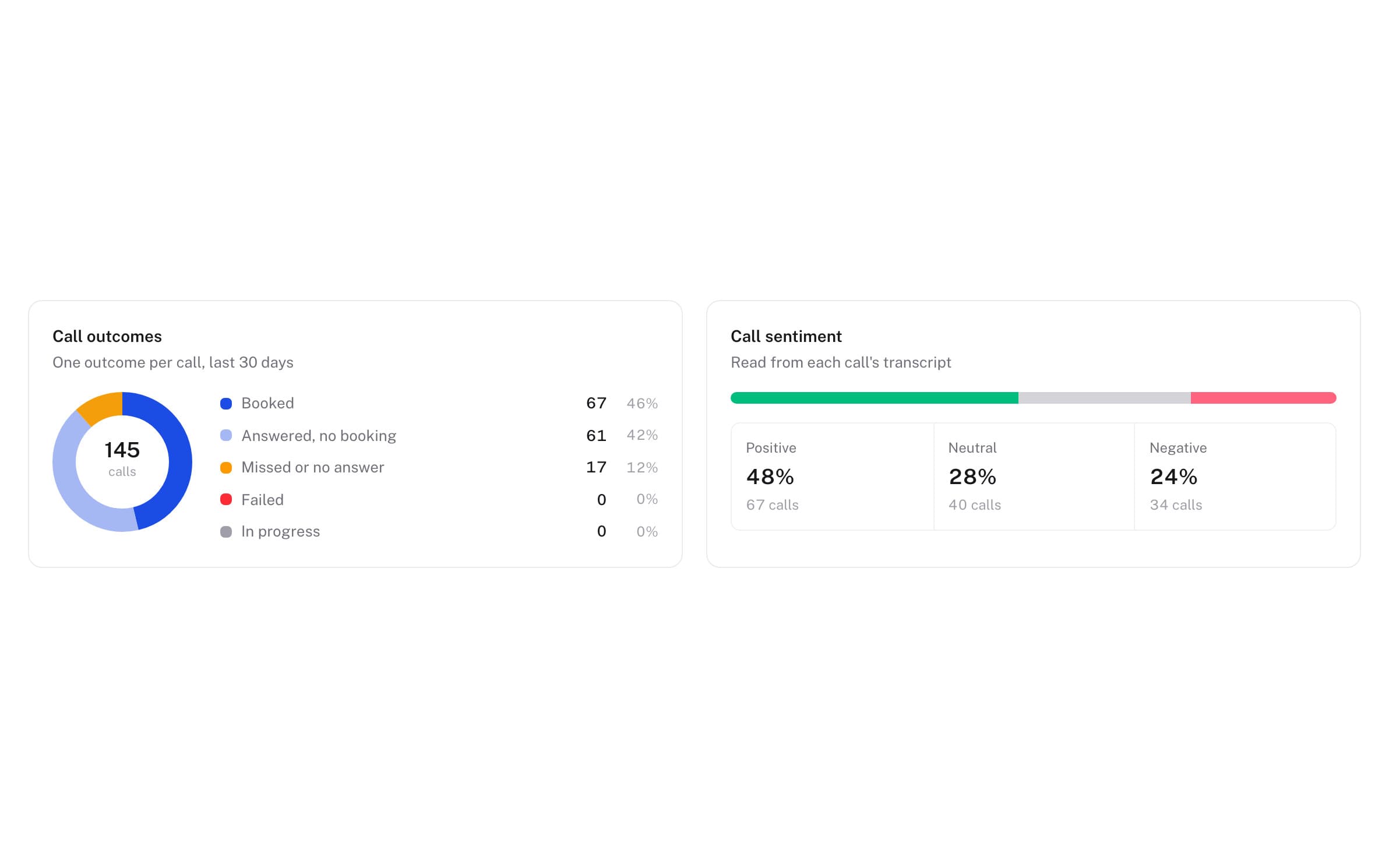
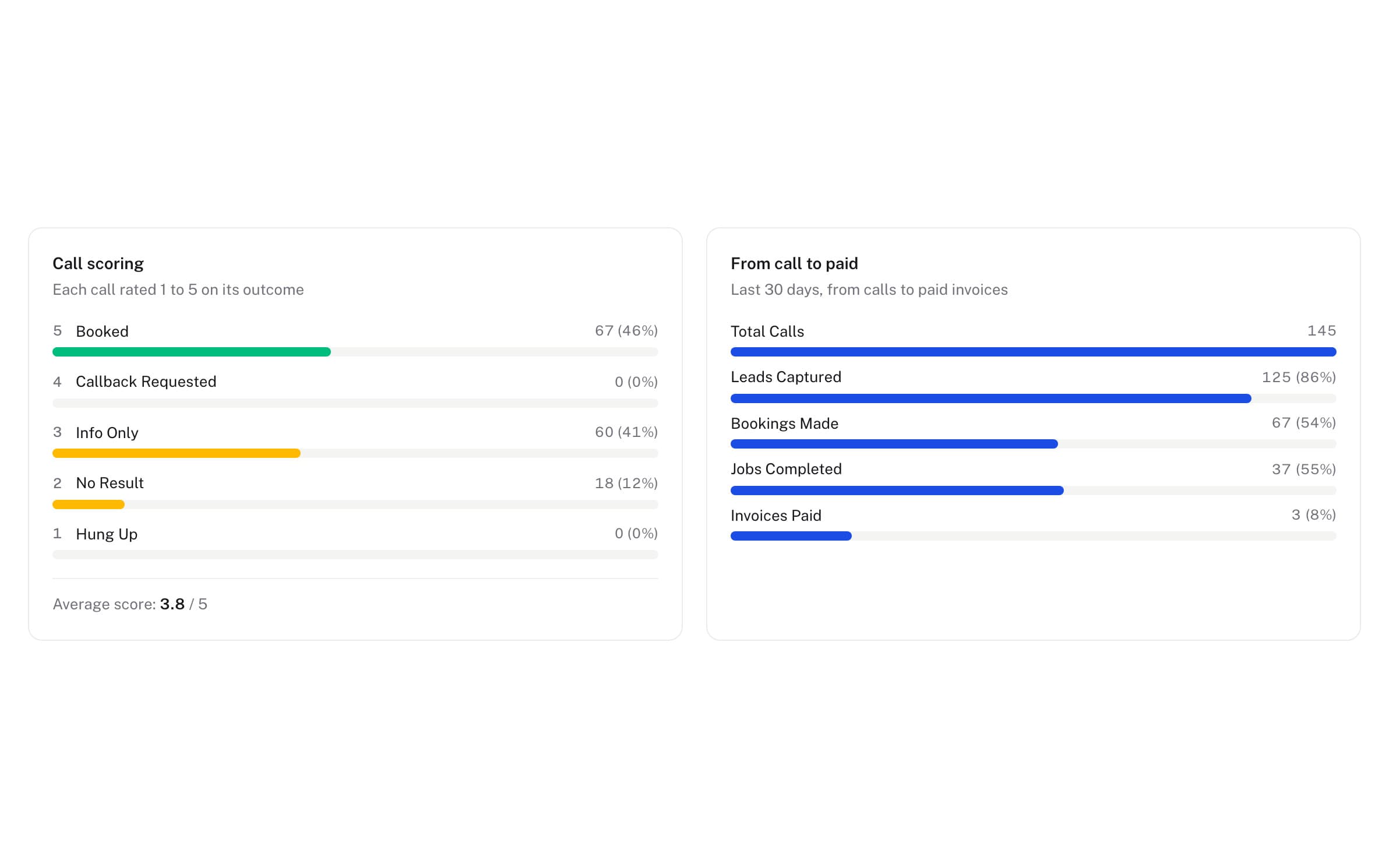
Know what to fix.
- Low scores flaggedCalls that went badly surface in your dashboard for you to read.
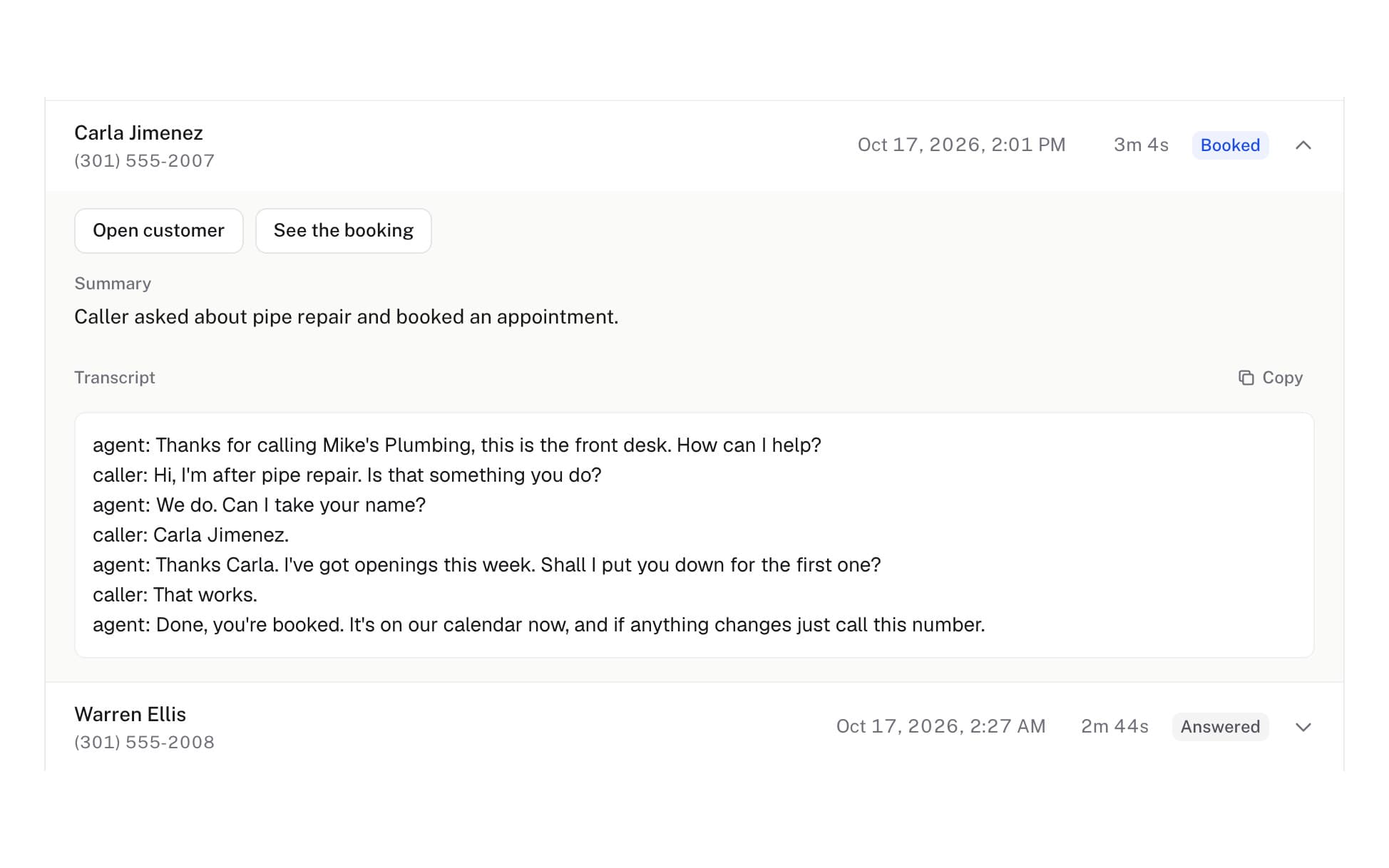
- Every word on recordEach call keeps its summary and the full transcript.
- Change the answerWrite the answer you want, and your AI receptionist uses it on the next call.
The questions owners ask.
Where does the data come from?
Every call handled by AlwaysRespond is transcribed, classified, and scored automatically. The dashboard updates in real time.
Can I tie calls to actual money?
Yes, and the reporting is honest about the difference between booked, invoiced, and collected. Because the booking, the job, the invoice, and the payment all live in one system, each number comes from real records, and a booked job is never counted as revenue until the money actually lands.
How do I know when a call went badly?
Every call is scored automatically, and low-scoring calls surface in the dashboard. Open one to read the transcript and see what the AI receptionist did, then fix the script or your service setup.
Can I see when my phone is busiest?
Yes. A heatmap shows call volume by hour and by day of the week, so you know your peak before you staff for it.
Do I have to log in to keep up?
No. A text briefing arrives every evening and an email every week. Logging in is for when you want to dig into a particular call.
Can I read exactly what was said?
Yes. Every call is transcribed and the full transcript sits on the call record, alongside the summary and the booking outcome.
Is there anything to set up?
No. Every call handled by AlwaysRespond is transcribed, classified and scored on its own, and the dashboard and the briefings fill themselves in.