Questions, answered.
What the AI does, what it costs, and what happens on the calls it cannot finish.
One month free. No setup fee. Cancel any time.Calls
What if the AI can't handle a question?
It takes a message and texts you the caller's details right away. Urgent calls escalate straight to your phone. And every call is transcribed, so you can read exactly what was said.
Can it handle multiple calls at the same time?
Yes. AlwaysRespond handles unlimited simultaneous calls with no hold times or busy signals.
Will callers know it's an AI?
Yes. It says it's an AI assistant once, up front. Several states require that. Then it just helps. Callers stay because it answers instantly, knows your business, and books them in.
Can I see transcripts of the calls?
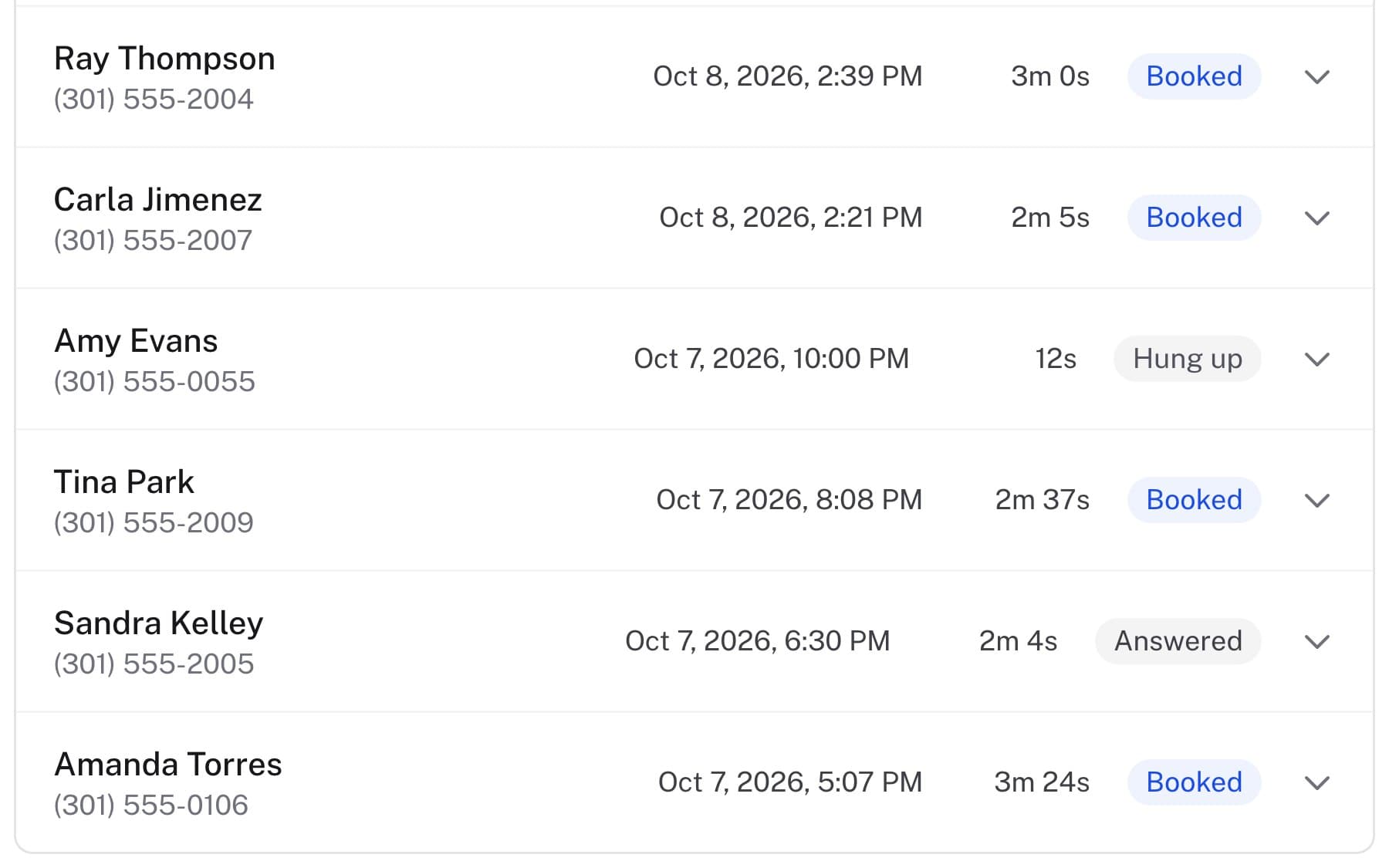
Yes. Every call is transcribed and summarized in your dashboard. You can search calls, filter by outcome, and review exactly what was said.
Does it work for emergency calls?
Yes. You can set emergency keywords so the AI escalates certain calls and immediately texts you so you can call back right away.
What about Spanish speakers or non-English callers?
AlwaysRespond speaks 30+ languages. If a caller speaks Spanish, the AI answers in Spanish automatically.
What happens when I'm available and answer the call myself?
Nothing changes. AlwaysRespond only picks up when you don't. Set your forwarding to kick in after a few rings, or only when you're busy.
What if a caller leaves a voicemail instead?
AlwaysRespond replaces your voicemail. The AI picks up every call, so there's no voicemail to check. If a call somehow slips through, you still get an SMS alert.
Are my calls recorded?
No. No call audio is ever stored, not by us and not for training. What you get is the written transcript, which is yours to read, export or delete. If a caller asks whether they are being recorded, the honest answer is that they are not.
Can the AI put a caller through to me?
Yes, if you turn it on. When a caller asks for a person, your phone rings for 20 seconds. If you pick up, you are connected and the AI drops out. If you do not, or it goes to voicemail, the AI stays on the line and takes a message instead, so the caller is never dropped into dead air.
Does it answer everything, or only after hours?
That is your call, and you set it with forwarding. Send everything to the AI, or only the calls you do not pick up within a few rings, or only outside your hours. When you answer the phone yourself, nothing about the AI is involved.
Booking and dispatch
Can the AI book appointments directly into my calendar?
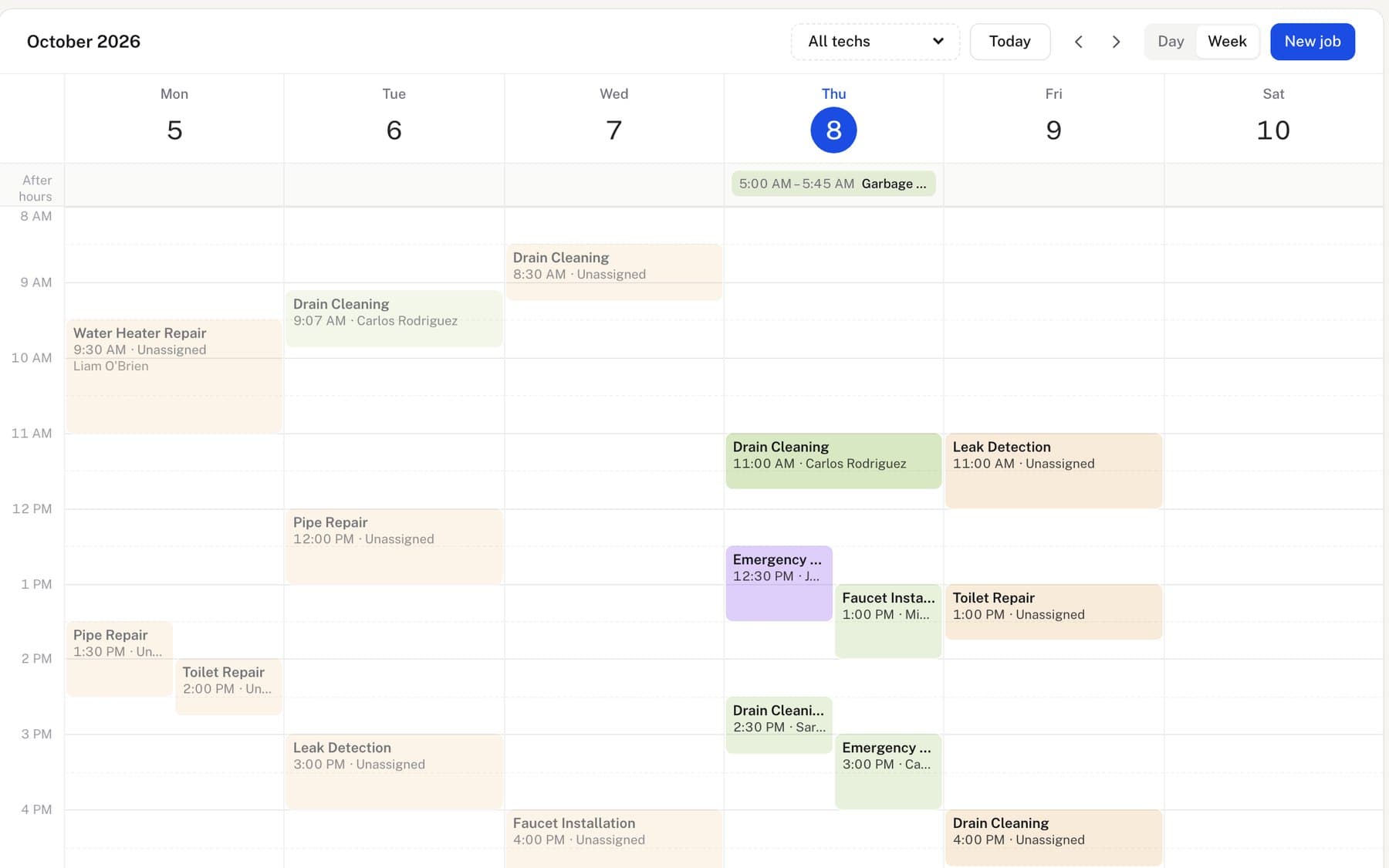
Yes. The AI checks your real-time availability and books appointments directly. It syncs with Google Calendar and other major calendar systems.
Does it send follow-up texts to callers?
Yes. After every call, the AI automatically sends a text confirmation to the customer with booking details, your business info, or a custom message you set.
Can I assign calls to specific team members?
Yes. On every plan, the dispatch board lets you assign jobs to technicians, track their status, and run the whole team from one dashboard.
What if the AI mishears an address?
Addresses are checked against a real map before anything is booked, not just written down as heard. If the street does not resolve, the AI says so and asks the caller to spell it rather than guessing. Before the booking is confirmed it reads the whole thing back (name, job, day, window and address) and waits for a yes.
Money
What does it cost?
Small Business is $79/month with 100 calls. Growing Business is $149/month with 300 calls. High Volume is $299/month with 600 calls. Every feature is on every plan; plans differ only by how many calls are included. Every plan includes a free trial.
Is there a contract or long-term commitment?
No contracts. You can cancel anytime. Start with a free trial.
What if I want to try it before paying?
Every plan starts with a 1-month free trial. You add a card at signup but pay $0 today. Nothing is charged until your trial ends, and you can cancel anytime before then. You get full access to all features on your chosen plan during the trial.
Can I get invoices and take payments through AlwaysRespond?
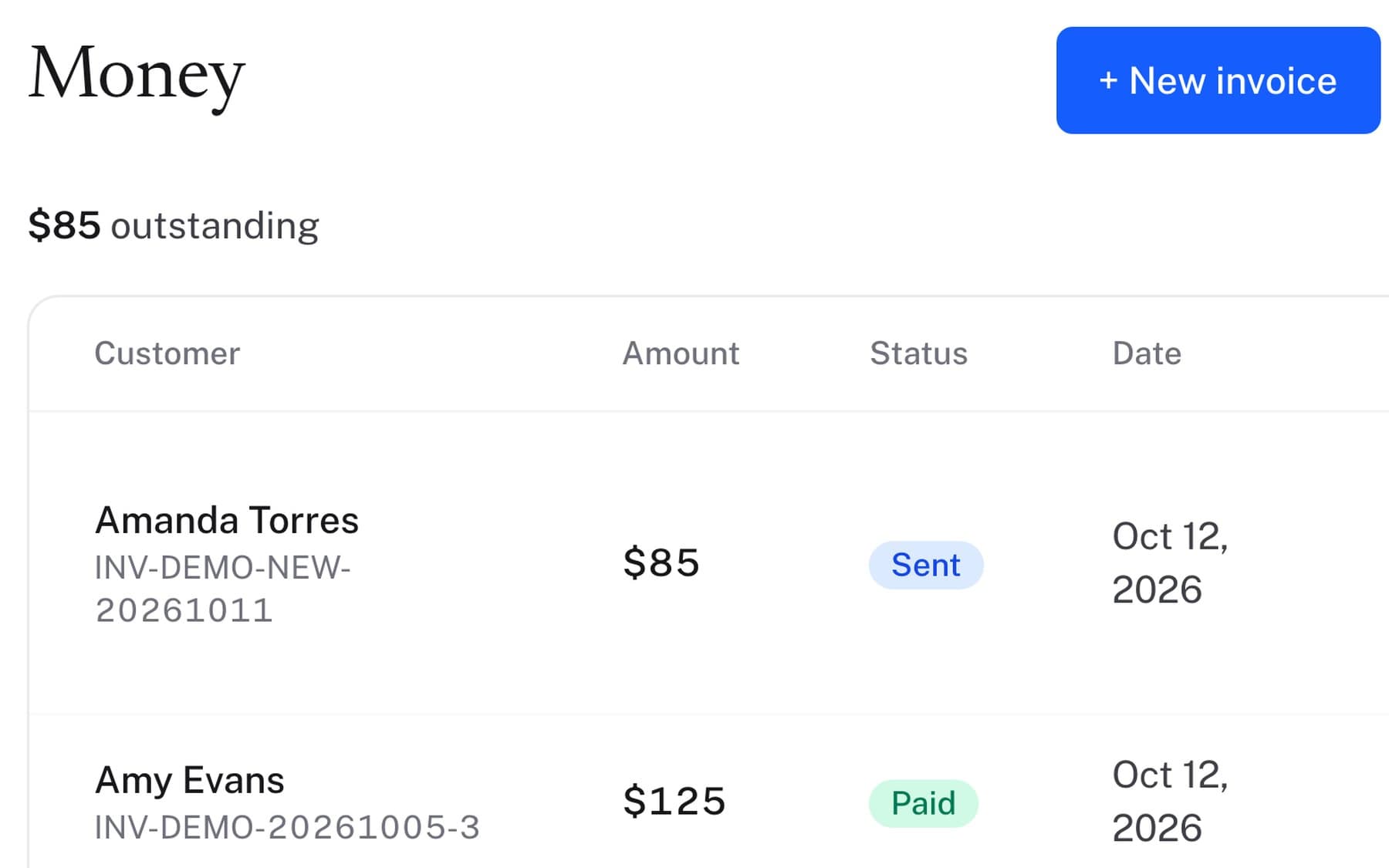
Yes, on every plan. You can send estimates, generate invoices, and collect payments all inside the same platform.
What happens if I go over my included calls?
Nothing stops working. The AI keeps answering, and the extra calls are billed at the end of the month. Small Business is $1.50 per extra call, Growing Business is $1.25, and High Volume is $1.00. The rate falls as the plan gets bigger, so if you are consistently over, moving up a plan costs less than staying put. Your dashboard shows where you are against the limit before you get there.
Is it cheaper to pay yearly?
Yes. Paying annually works out to $69 a month on Small Business, $125 on Growing Business and $255 on High Volume, roughly 15% off, billed once a year. You can switch between monthly and annual whenever you like.
What happens to my data if I cancel?
The AI stops answering, and your dashboard stays readable for 30 days so you can get everything out. Export of every call, booking and invoice to CSV is self-serve and always available. There is no request form and nobody to ask. Cancelling is one click in billing, with no exit fee and no contract.
Setup
How does AlwaysRespond work?
Forward your missed calls to your AlwaysRespond number. Our AI answers, captures details, books appointments, and sends the customer a text confirmation.
Do I need to change my phone number?
No. You keep your current number. Just set up call forwarding when you can't answer.
How long does setup take?
About 10 minutes. Add your services and availability, set up call forwarding, and you're live.
What kind of businesses use AlwaysRespond?
Any service business that takes calls from customers, plumbers, HVAC techs, roofers, electricians, cleaning companies, landscapers, auto repair shops, salons, dental offices, veterinarians, and 130+ other industries.
Can I customize what the AI says?
Yes. You control the greeting, your services, pricing ranges, how to handle specific questions, and more. The AI learns your business and speaks in your voice.
Is my data private and secure?
Yes. All call data is encrypted in transit and at rest. We never sell, rent, or share your customer data for advertising or analytics, and we don't market to the people who call you. You own everything, and you can export or delete it whenever you want.
Does it integrate with my existing software?
Yes. AlwaysRespond integrates with Google Calendar, QuickBooks, HubSpot, Zapier, and many more, on every plan.
How do I know it's working?
Your dashboard shows every call in real time, who called, what was said, whether a booking was made, and any follow-ups sent. You can also set alerts for specific call types.
How many things does it connect to?
18, covering your customer list and jobs, getting paid, your calendar, reviews and marketing, your team chat, and your own code by webhook. Some are two-way sync over a proper login, some take an API key or a URL you paste. The integrations page says which is which for each one, and never claims a connection is deeper than it is.
Do you need my passwords?
No. The two-way integrations use the provider's own login screen. You sign in at Google or QuickBooks, approve what we can see, and we get a token, never your password. You can revoke it from their side at any time without telling us.
Do I lose my phone number if I leave?
No, because it was never ours. You forward your existing line to us, so the number stays with your carrier the whole time. Leaving is turning the forwarding off.
Before you switch.
Nothing about trying it is permanent.
Forward, do not port
Your calls reach us by forwarding. Send every call, only the ones you miss, or only the ones after hours.
Your number stays yours
It never moves to us. It stays with your carrier, so leaving is turning the forwarding off.
Cancel any time
Month to month, first month free, $0 today. After you cancel, your dashboard stays readable for 30 days.
Read the guides, or talk to a person.
Searchable how-tos and troubleshooting, or our team on the phone.